Introduction
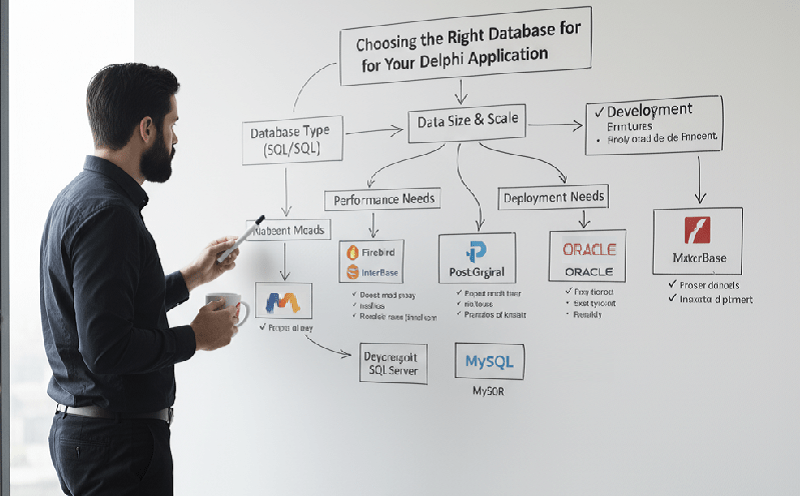
Your Delphi app is only as efficient as the database it runs on. From small utilities to enterprise-grade systems, the right database choice impacts speed, scalability, and maintainability. Here’s how to choose the best one for your Delphi application.
1. Understand Your Application’s Data Profile
Before jumping into Firebird, MySQL, or MS SQL Server, evaluate:
- Data volume
- Read/write frequency
- Offline vs. online needs
- Need for replication or syncing
- Expected user base
- A local tool for warehouse staff will need a different DB than an ERP-like multi-user system.
2. Popular Databases with Delphi
Firebird
Lightweight, embeddable, free. Great for single-user or small-to-mid-size apps. Delphi has strong FireDAC support for Firebird.
SQLite
Perfect for mobile or portable apps. Zero-config, file-based. Good for offline use-cases.
MySQL/MariaDB
Widely supported and performant for small to medium web-connected apps.
MS SQL Server
Robust, secure, and ideal for enterprise apps. Smooth integration with Delphi via ADO and FireDAC.
PostgreSQL
Known for compliance, strong ACID guarantees, and scalability. Supported by Delphi and offers advanced features like JSON handling.
3. Choosing Based on Application Size
| App Type | Recommended DB |
| Single-user desktop tool | SQLite / Firebird |
| Small business inventory | Firebird / MySQL |
| Web-enabled CRM | MySQL / PostgreSQL |
| Enterprise ERP | MS SQL Server / PostgreSQL |
4. ORM or Direct SQL?
While Delphi allows direct FireDAC access, libraries like TMS Aurelius offer ORM support for those who prefer model-driven development.
5. Don’t Forget Deployment Factors
- Is the DB open-source or licensed?
- Does it require a server install?
- Will your clients be able to back it up easily?
Conclusion
No one-size-fits-all here. Delphi’s strength is its ability to connect to virtually any database. Match your DB to your app’s scale, environment, and future growth to get the best results.